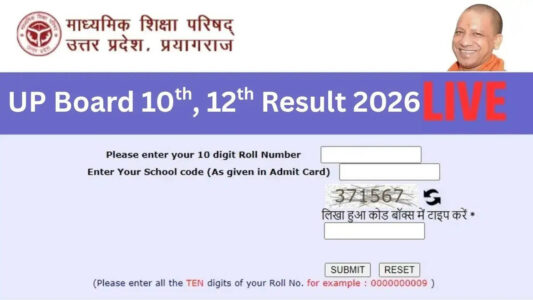

UP Board 12th Result LIVE UPMSP Class 12 Inter Result link at upmsp.edu.in, upresults.nic.in marksheet also at DigiLocker topper list roll number wise: The Uttar Pradesh Madhyamik Shiksha Parishad (UPMSP) has announced the Class 10 and 12 results today, April 23, 2026, at 4 PM. Students who appeared for the high school and intermediate exams can check their scores and download the mark sheets via DigiLocker and the official websites: upmsp.edu.in or upresults.nic.in, using their login credentials. Students will have to key win their roll number to check their result at the official UP websites. Once students key in their roll number, the UP 10th, 12th result will appear on their screen. Once the result is available on the screen, students should save the marksheet by downloading it and take a print out of the same for future reference.
Check UP board result portals
Official Websites to Check UP Board Results
The results of the UP Board 2026 can be checked by students on the following official websites:
- upmsp.edu.in
- upresults.nic.in
- upmspresults.up.nic.in
How to Check UP Board Result 2026
Follow the steps below to download the scorecard:
- Visit the official website: upsmp.edu.in or upresults.nic.in
- On the homepage, click on the result link available.
- Enter the login credentials.
- Click on the submit button.
- The UP Board 10th, 12th Result 2026 will be displayed on the screen.
- Download and save it for future reference.
Students can read more about how to check UPMSP results using roll number here.
Along with the UPMSP result 2026, the officials will reveal key statistics, such as the number of students who appeared and passed the exam, the overall pass rate and toppers’ list. The toppers list will be released separately for class 10 and class 12.
This year, the UP Board Class 10 and Class 12 examinations were successfully conducted as per the schedule. After the exams concluded, teachers were given the opportunity to evaluate the answer sheets. Teachers were also given a small holiday for Holi, after which the evaluation process was completed.
Over 53 lakh students are now waiting for their class 10 and class 12 UP result. If the official websites ( crash, students can also check their result through SMS and DigiLocker. To check UP 10th and 12th result through SMS students have to send an SMS in the given format (e.g. UP12 Roll Number) to the official number assigned by UPMSP (e.g. 56263) to get results on their mobile phones.
UP Board Result 2026 DigiLocker: Steps to check UP Board Class 10th 12th result via DigiLocker
Step 1: First, open the DigiLocker app on your mobile or computer, or visit the official website.
Step 2: If you don’t have an account, click on “Sign Up” and complete the registration using your mobile number.
Step 3: If you already have an account, log in using your mobile number/Aadhaar number and OTP.
Step 4: After logging in, go to the “Education” or “Issued Documents” section.
Step 5: Search for and select Uttar Pradesh Madhyamik Shiksha Parishad (UP Board).
Step 6: Now choose the “Class 12/10 Marksheet” or “Intermediate Result” option.
Step 7: Enter the required details such as roll number and exam year.
Step 8: Click on “Get Document” or “Submit”.
Step 9: Your digital marksheet will appear on the screen, which you can download or save.
Step 10: For future use, save the marksheet as a PDF or take a printout and keep it safe.
The press conference was held at 4 pm today.